P1 Firmware & Alarms: Update Fails, Head Locked
You are viewing manual positioning problems, firmware upgrade failure, update guidance, and software alarm explanations.
Power off before removing the laser module to inspect the window lens or unplugging and reinserting the USB drive. If engraving reflective material, first coat its surface black to avoid damaging the laser module. Frame before engraving to check for frame collisions.
¶ Cannot Move Head by Hand
What you see: After power-on, the laser cannot be moved manually to the desired engraving position.
Check in this order:
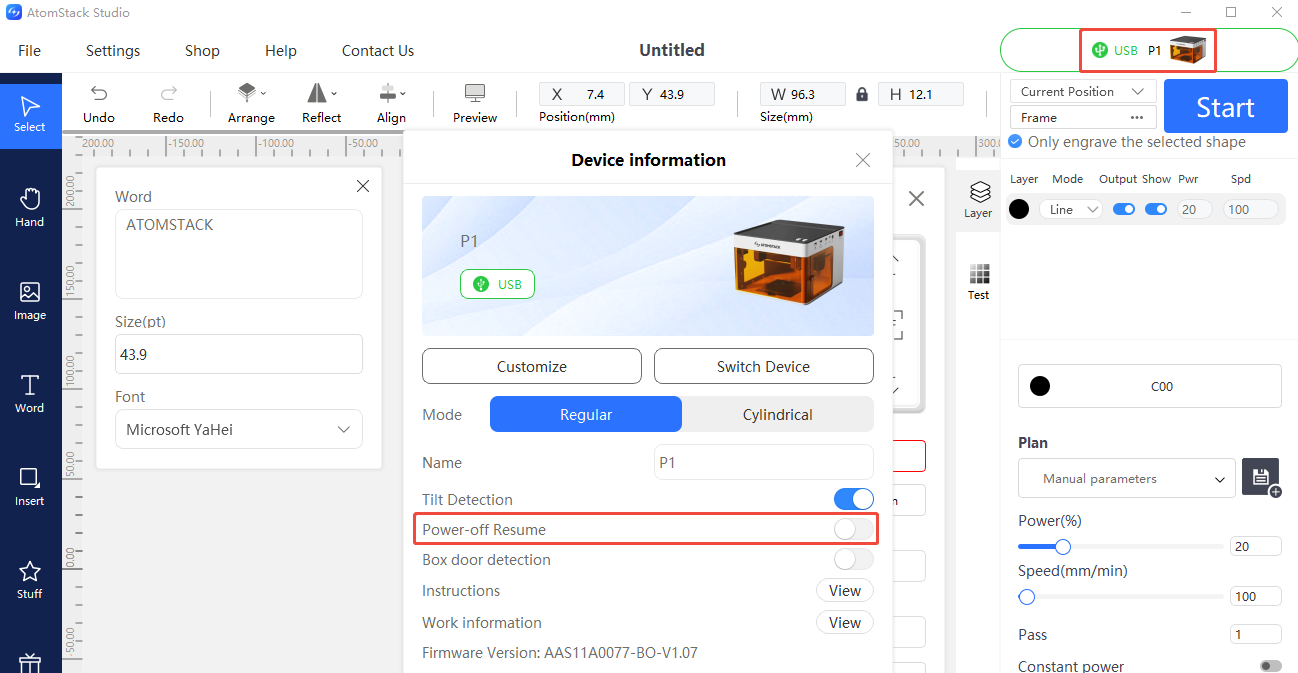
- Check that "resume after power loss" is not enabled: If it is enabled, you can disable "resume after power loss" after connecting via the AtomStack app or Studio.
- If the issue persists after disabling it, try reflashing the firmware first (the same firmware version cannot be reflashed twice — ask customer service for a different version). If it still cannot be moved after reflashing, but can be moved when powered off, this indicates a motherboard fault.
Still not fixed? Contact support with the details listed in What to send support.
Related problems: Homing Fails · Firmware Update Fails
¶ Firmware Update Fails
What you see: The firmware upgrade fails.
Check in this order:
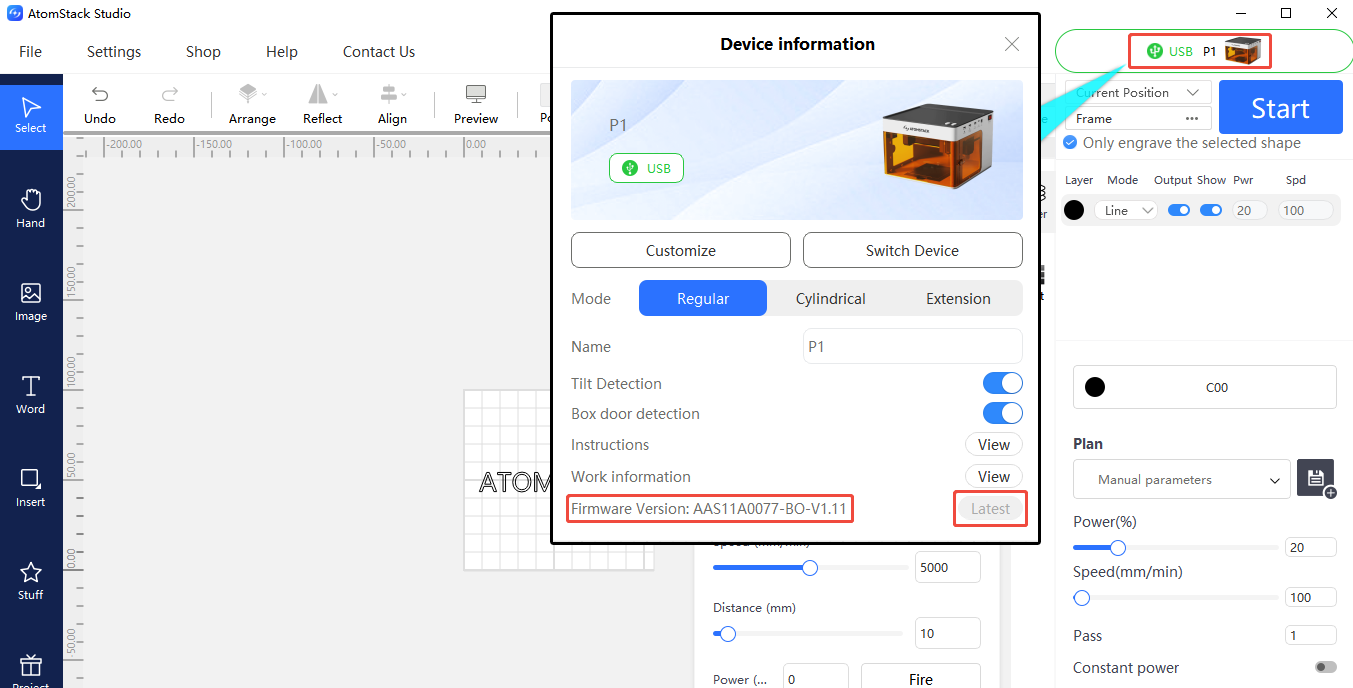
- Connect via AtomStack Studio or the mobile app and click to update the firmware (a USB drive is required as storage).
- If it still fails, first confirm whether the USB drive can be recognized by the engraver — if not, please refer to the "P1 cannot recognize the USB flash drive" section.
Still not fixed? Contact support with the details listed in What to send support.
Related problems: USB Drive Not Recognized · Updates Needed
¶ Updates Needed
What you see: P1 Series Software, Firmware, and App Updates.
Check in this order:
- AtomStack Studio updates: The software will automatically prompt you if a new version is available when opened; you can also select "Check for Updates" in Settings, or download it from the AtomStack.com website.
- Firmware updates: Connect via AtomStack Studio or the mobile app and click to update the firmware (a USB drive is required); alternatively, copy the firmware file to the root directory of a USB drive and insert it into the machine to update.
- App updates: Download the latest version from the AtomStack.com website, or check the version and update from "Profile - Settings - About ATOMSTACK" within the app.
Still not fixed? Contact support with the details listed in What to send support.
Related problems: Firmware Update Fails · USB Drive Not Recognized
¶ Software Alarms
What you see: Software Alarm Prompts and Solutions.
Check in this order:
| Alarm Code | Description | How to Handle |
|---|---|---|
| Alarm 1 | Typically indicates a limit switch was triggered | If Alarm 1 occurs without hitting a limit switch, check each limit switch: trigger manually, and unplug/replug cables in sequence to locate the fault |
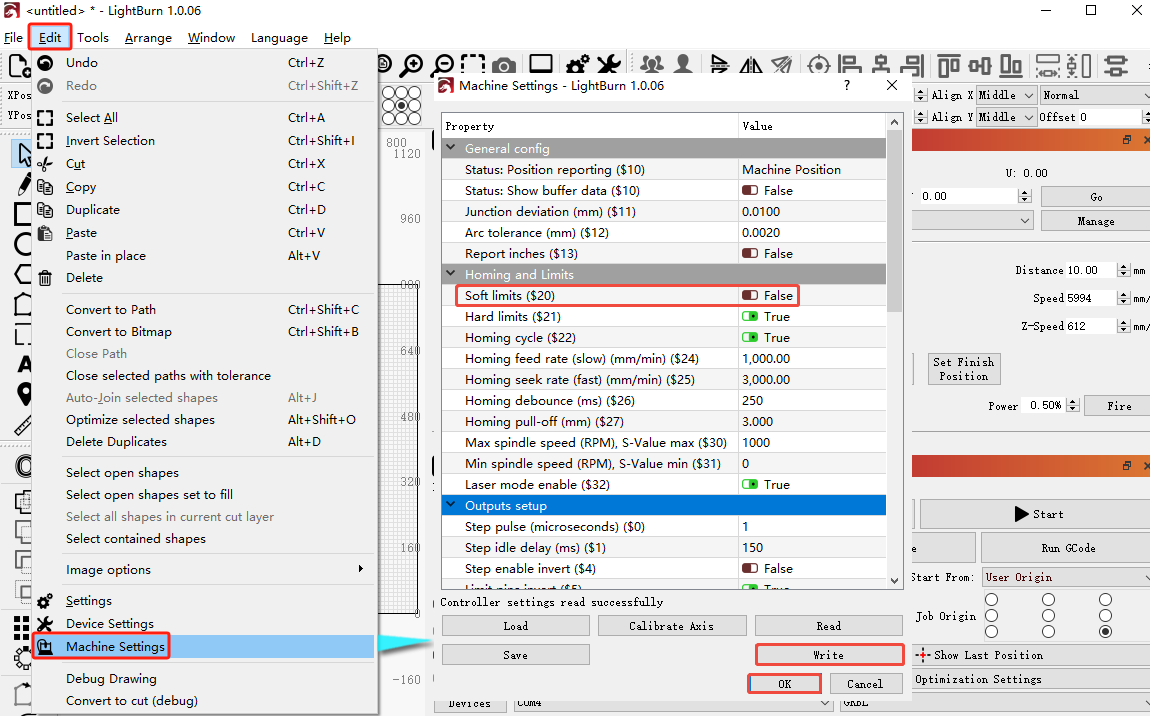
| Alarm 2 | Typically indicates a soft-limit alarm | Check whether $20 (soft limits) is enabled in the software's machine settings — disable it if so |
| Alarm 3 | Typically indicates an alarm triggered by a disconnection during operation | Investigate the specific cause based on the code prompt that appeared before the alarm |
| Alarm 8 | Typically indicates a limit switch stuck in a continuously triggered state | May indicate a damaged limit switch — unplug/replug cables in sequence to locate the fault |
| Alarm 11 | Typically indicates a tilt alarm | If the machine isn't actually tilted and the control box hasn't been removed, this may be a false alarm — try restarting, or disable the tilt alarm in the app / control panel / AtomStack Studio |
Still not fixed? Contact support with the details listed in What to send support.
Related problems: Limit Warning · Stops During Operation · Homing Fails